Blog
/
The Exploration Workflow
The Exploration Workflow for Design Engineers
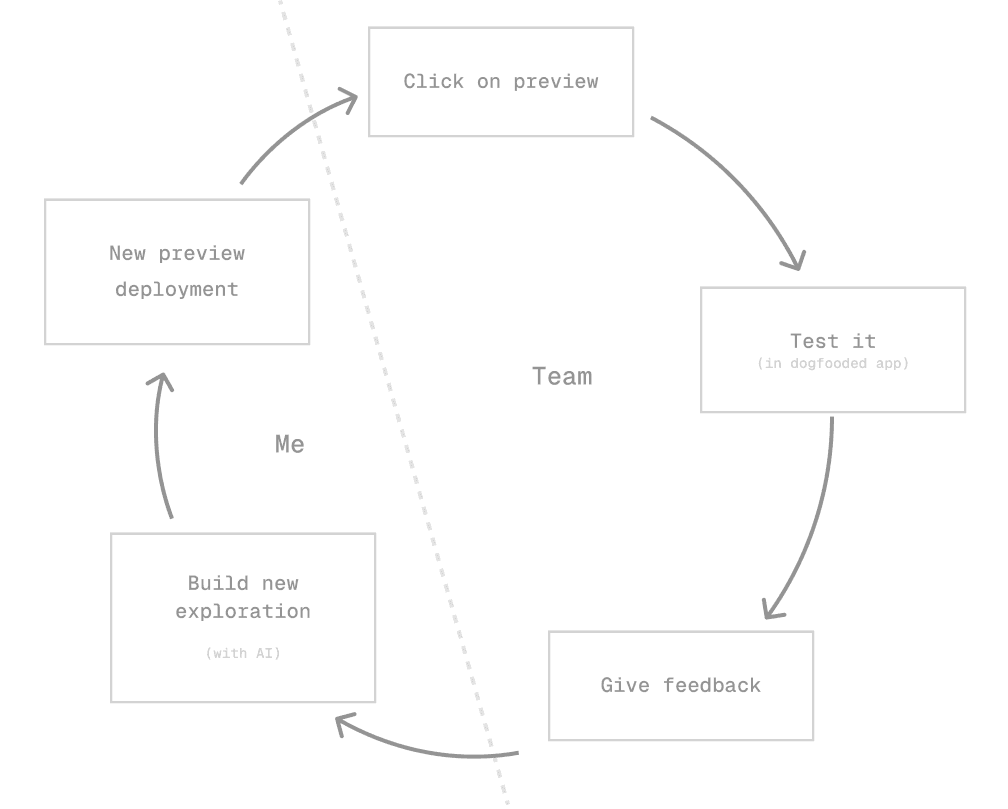
Most design exploration is slower than it needs to be. Here's the workflow that changed how I prototype: vibe coded, CI deployed, and great in collecting feedback.
Topic
Workflow Guide
Published
2026
Reading time
7 min
The Exploration Workflow for Design Engineers
There's a specific kind of design session that always felt slow to me. Not the ones where you're refining something, those are fine. I mean the explorative ones. The sessions where you genuinely don't know what you're building yet, and the goal is to answer a question, not deliver a screen.
You know the type. Someone says "we need to figure out how this interaction should feel" and suddenly you're in Figma building a prototype you know is lying to you, with placeholder data that doesn't represent anything real, about to export a dozen screenshots into a Notion doc that nobody will open twice.
I've done this probably a hundred times. It always felt like the wrong tool for the job.
Recently I found a better way. It's embarrassingly simple in retrospect.
The problem with Figma for ambiguous problems
Let me be precise here because I don't want to be misread: Figma is great. For alignment, for key screens, for handing off to engineering, for communicating what something is supposed to be. It's excellent.
But Figma has a fundamental constraint when you're doing exploration: it's static, and it lies about data.
When you prototype an interaction in Figma with placeholder content, you're not testing the idea. You're testing whether people can read your wireframe. Those are completely different things.
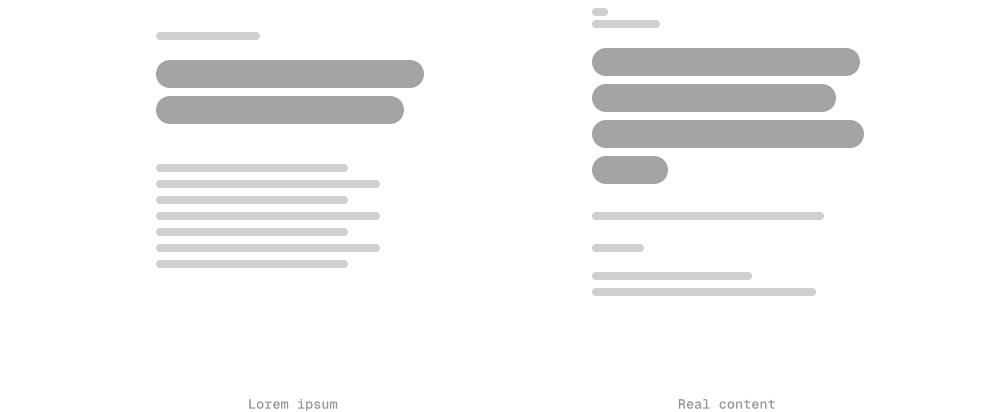
The feedback you get from a Figma prototype in an explorative session is almost always about the prototype, not the problem. "Can you make the font bigger in this mock?" Cool. Helpful. Wrong conversation.
Real data is brutal and honest. Real interactions reveal things static screens never will. And sharing a Figma link to a non-designer is still, in 2025, slightly alien. They'll ask if they need a Figma account. They'll pinch-zoom on mobile and panic.
What changed
I'm currently working on search and agentic features at Slite. We had a session where we needed to explore several different interaction patterns for how search results surface in a document context. Highly interactive, needed to feel real, and the team needed to be in the loop quickly.
The old path would have been: build screens in Figma, share a prototype link, get async feedback over two days, iterate. Total clock time: probably a week before anything felt resolved.
Instead I did this:
- Vibe-coded a prototype. Rough, throwaway React, no architecture concerns, no tests, no nothing. Just the interaction I wanted to explore, wired up to real API calls.
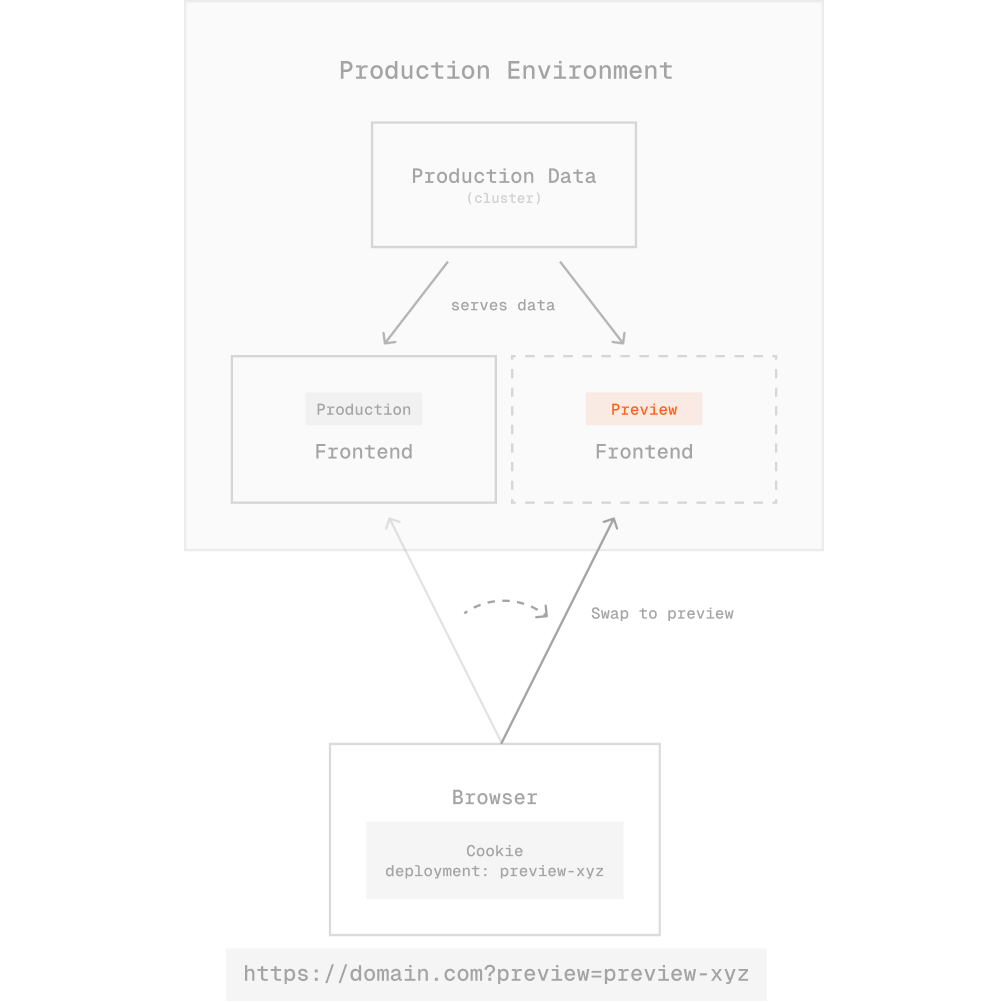
- Pushed it to a branch. Our CI pipeline automatically deploys preview branches and generates a shareable URL.
- The deployed prototype runs at the same domain as the production app. So the authentication cookie just works. Real data. Real user. No setup.
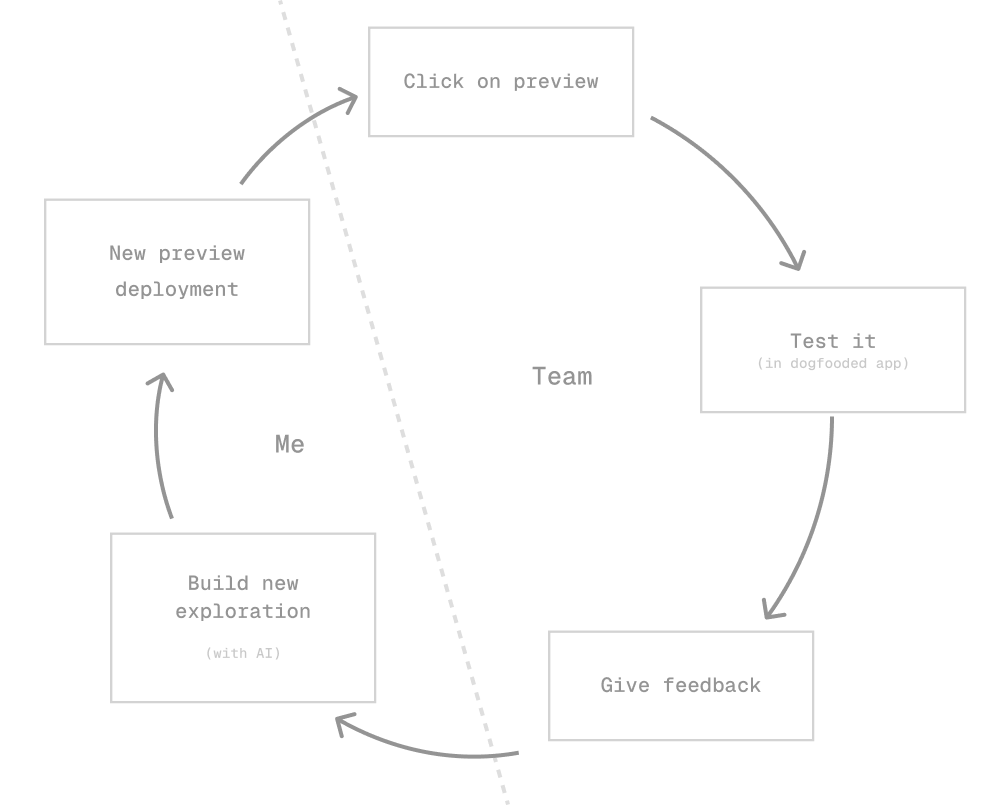
The whole team could open the link, use it in their actual workflow, and opt out whenever they wanted. It just behaved like the app, because it basically was the app. Minus all the code quality standards we care about in production.
That first session I built 8 prototypes in two days. Two follow-up variants the next morning. Each one answering a specific question. Some were dead ends. One became the direction we pursued.
Why this works so well
A few things make this combination specifically powerful:
Real data is merciless. You will immediately discover that your beautiful card layout breaks when someone has a 200-character document title. You will immediately see that the loading state looks weird with actual API latency. Figma will never tell you this. Your users will, eventually, at the worst possible time.
The feedback loop collapses. When someone can open a link on their phone and poke at a real interaction during their lunch break, you get better signal faster. Not "I think this could work" but "I tried to use this for 10 minutes and here's what annoyed me."
Tabs. This sounds trivial but it's not: you can open all 8 prototypes in different tabs and switch between them in a meeting. Try doing that with Figma prototype links. Actually don't, it's fine, I'll wait.
It forces you to be decisive. A coded prototype has to make real choices: state management, data shape, edge cases. Making those choices early, even throwaway ones, reveals design problems you wouldn't have found until engineering.
The thing nobody says out loud
None of this code ships.
That used to feel wasteful to me. Now I think of it the same way I think about a whiteboard sketch. The point was never to ship the whiteboard. The point was to think out loud in a medium that gives you real feedback.
The prototypes I built weren't architecture. They were questions written in code.
Once you have answers, you do a proper implementation. Better, faster, because you already know what you're building.
Who can do this
Here's something I'd push back on a bit: this isn't just for engineers.
Designers who are comfortable with basic React or even just HTML/CSS can run this workflow. The bar for a throwaway prototype is extremely low. You don't need clean code, you need working code. Those are different standards.
If you're a design engineer or work closely with one, this is worth setting up properly once. The CI pipeline configuration is not complicated. The return on investment is absurd.
A short intro session is genuinely enough to get a designer building their own branches. I've seen it happen. It's not as scary as it sounds when the expectation is "rough and throwaway" rather than "production quality."
Currently building search and AI features at Slite / Super. I write about design engineering, AI-native UX, and the hard interface problems in between.